Demo: Move pallets with AR-code
Note
Prerequisites – The following is required to run this demo.
- A truck which is charged
- A computer which you can remote desktop into the truck with
- A gamepad with it’s dongle connected to the usb port on the truck
- At the moment only the xbox gamepad is working
- A router that has been setup in such a way that the trucks and laptops can connect automatically when powered up
- This must be done before leaving Toyota premises
Start the truck
To start the truck, follow these steps.
- Start the truck by pulling the red switch on the battery upwards.
- Start the computer on the truck by pressing the small gray button on the lower left backside of the computer.
Since all the drivers are launched automatically, you should now be able to control the truck using the game-pad. With this connection you can now move the truck to the place where you want it.
Login to the truck
- Launch NoMachine, on the Ubuntu laptop (it should be available in the upper right corner on the screen).
- Choose the truck you want to login to.
Note
If it says connection refused you will have to restart the NoMachine server.
- ssh in on the truck
- Open a new terminal on your laptop
- Type
ssh toyota@minireach<truck_nr>, where truck_nr = [1 or 2] is the truck you want to use.
- Type
sudo /etc/init.d/nxserver restart- It will ask for the password which is
minireach
- It will ask for the password which is
Start the demo
Open a terminal in the menu to the left and type
rocon_remoconin it.This will open a window like the one below, but instead of
robotit will say the name of the truck (eitherespeonorflareon. Dubbleclick on the truck you want to use.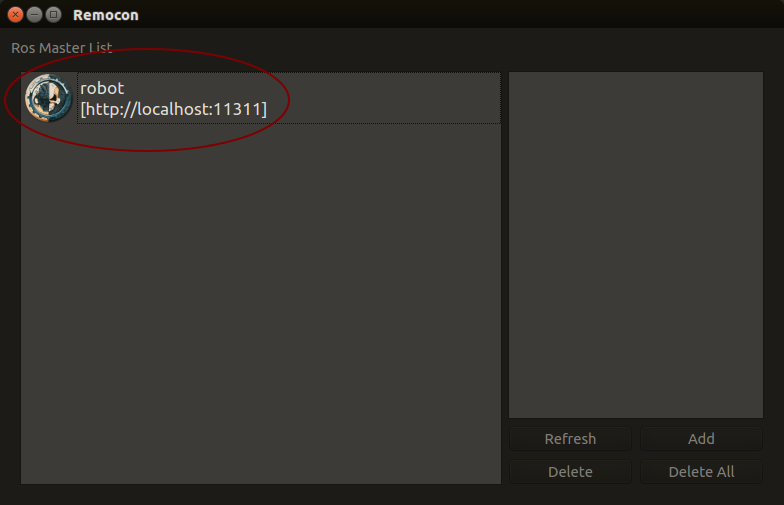
Now you should have a window like the one below. Dubbleclick on
user.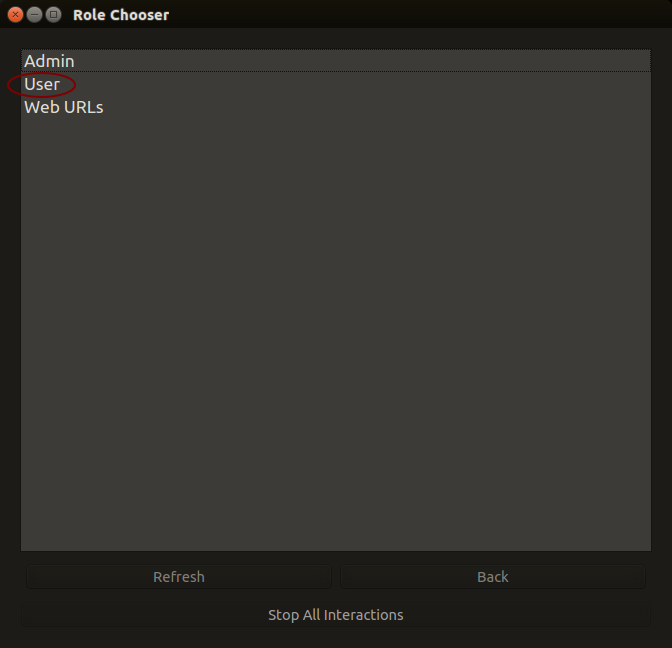
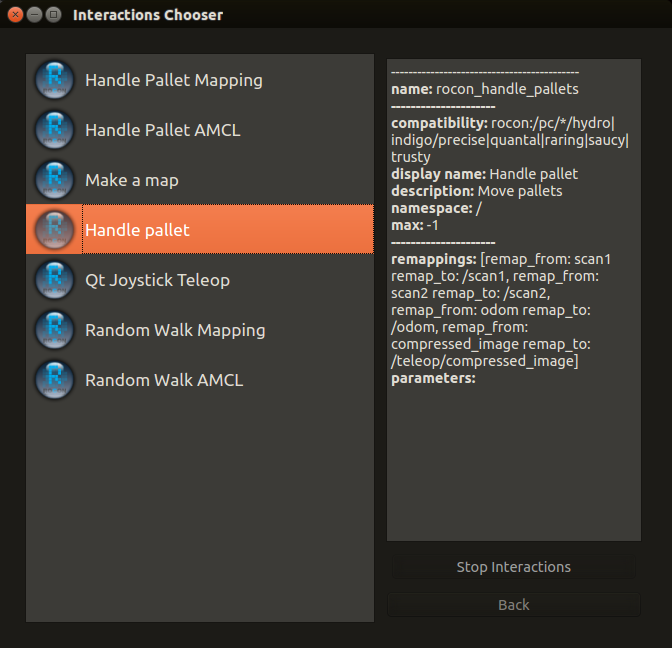
In this demo we will use the Handle Pallet rapp, so dubbleclick on that to start it. The rapp interface should pop up on your screen after a while.
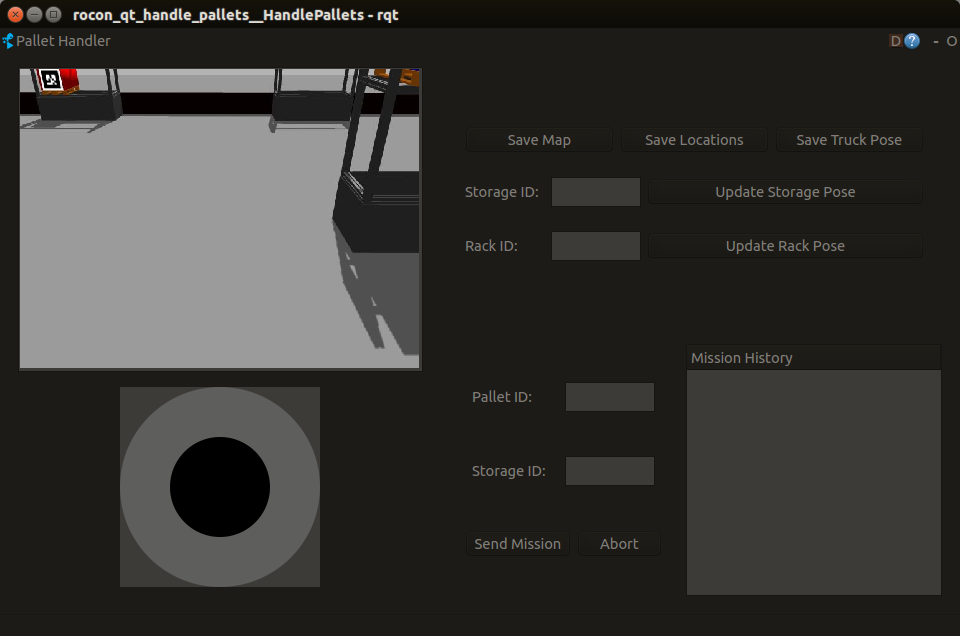
In order to tell the truck to move pallets between racks we need to assign IDs to them. This can be done by using the joystick in Handle Pallet or the game-pad, to move the truck around in the environment until it has ”seen” all the pallets with AR-codes. That way the mapping is done and the truck can navigate in the environment.
In the Handle Pallet you can now give the truck missions, where a mission is moving an already detected pallet to other storage locations in the same rack.
- Enter a Pallet ID in the interface, for example
2.- Enter a Storage ID in the interface, for example
4a.- Click the Send Mission button.